Forgekit: An Open-Source Next.js AI Starter Kit with RAG and pgvector
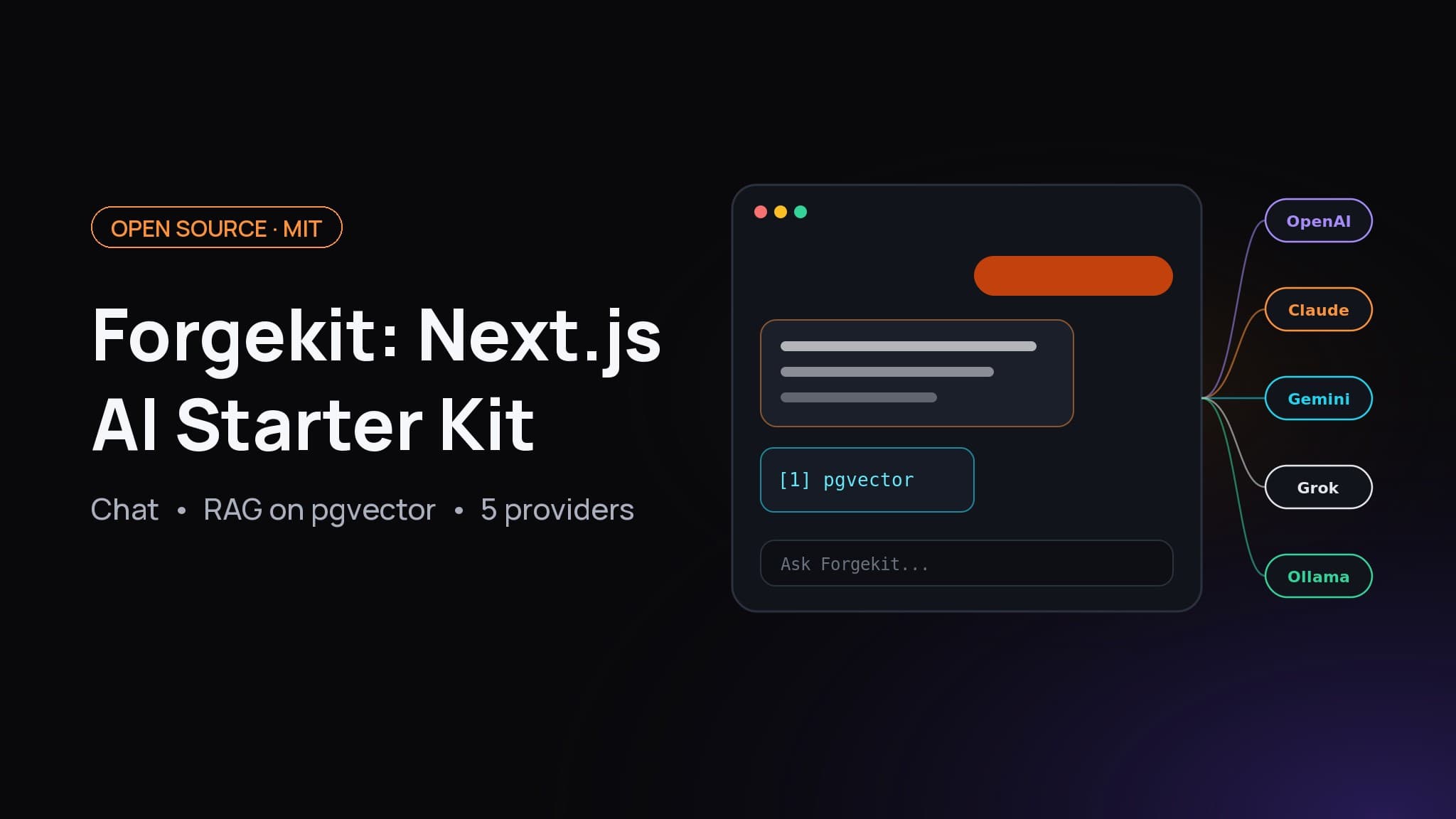
Forgekit is a free, MIT-licensed Next.js AI starter kit: streaming chat, five model providers including local Ollama, RAG on pgvector, Better Auth, MCP and a 284 MB Docker image.

On this page
- What is a Next.js AI starter kit?
- What does Forgekit include?
- How do I run Forgekit locally?
- What did I verify before publishing?
- How is Forgekit's architecture put together?
- What does the chat route look like?
- How does RAG with Next.js and pgvector work in Forgekit?
- How do I add a new AI provider?
- How do I add a custom tool?
- What is the MCP endpoint for?
- How does Forgekit compare with other Next.js AI templates?
- How do I deploy Forgekit with Docker or Coolify?
- Who should use Forgekit?
Repo: github.com/fabwaseem/forgekit, MIT licensed. Clone it, run one setup script, and you have a working AI chat app on your own machine.
A Next.js AI starter kit is a ready-to-run Next.js project that already wires up the hard parts of an AI app: streaming chat, model providers, auth, a database, retrieval over your own documents and a deploy path. Forgekit is my open-source Next.js AI starter kit. It is built on Next.js 16, the AI SDK, Better Auth, Drizzle and PostgreSQL with pgvector, and it runs on Docker, Coolify or Vercel.
This post explains what Forgekit includes, how it is put together, how it compares with other options, and how to run, extend and deploy it. Every number here comes from building and running the repo myself.
What is a Next.js AI starter kit?#
A Next.js AI starter kit is a template repository that gives you a working AI application on day one instead of a blank create-next-app. A good one includes streaming chat UI, a server route that calls a model, saved conversations, authentication, a database, and a clear way to add providers and deploy. You start from working code and change it, rather than gluing libraries together yourself.
The value is in the boring parts. Streaming a reply is easy. Saving the conversation correctly, limiting abuse, scoping documents to a user, tracking token usage and shipping a container that migrates its own database take most of the time.
What does Forgekit include?#
Forgekit includes a streaming chat with saved threads, a model picker across five providers, three built-in tools, document upload with retrieval-augmented generation (RAG) on pgvector, email and GitHub sign-in, per-user rate limiting, token usage by model, and an MCP endpoint that exposes your knowledge base to other AI clients. It ships with Docker, tests and CI.
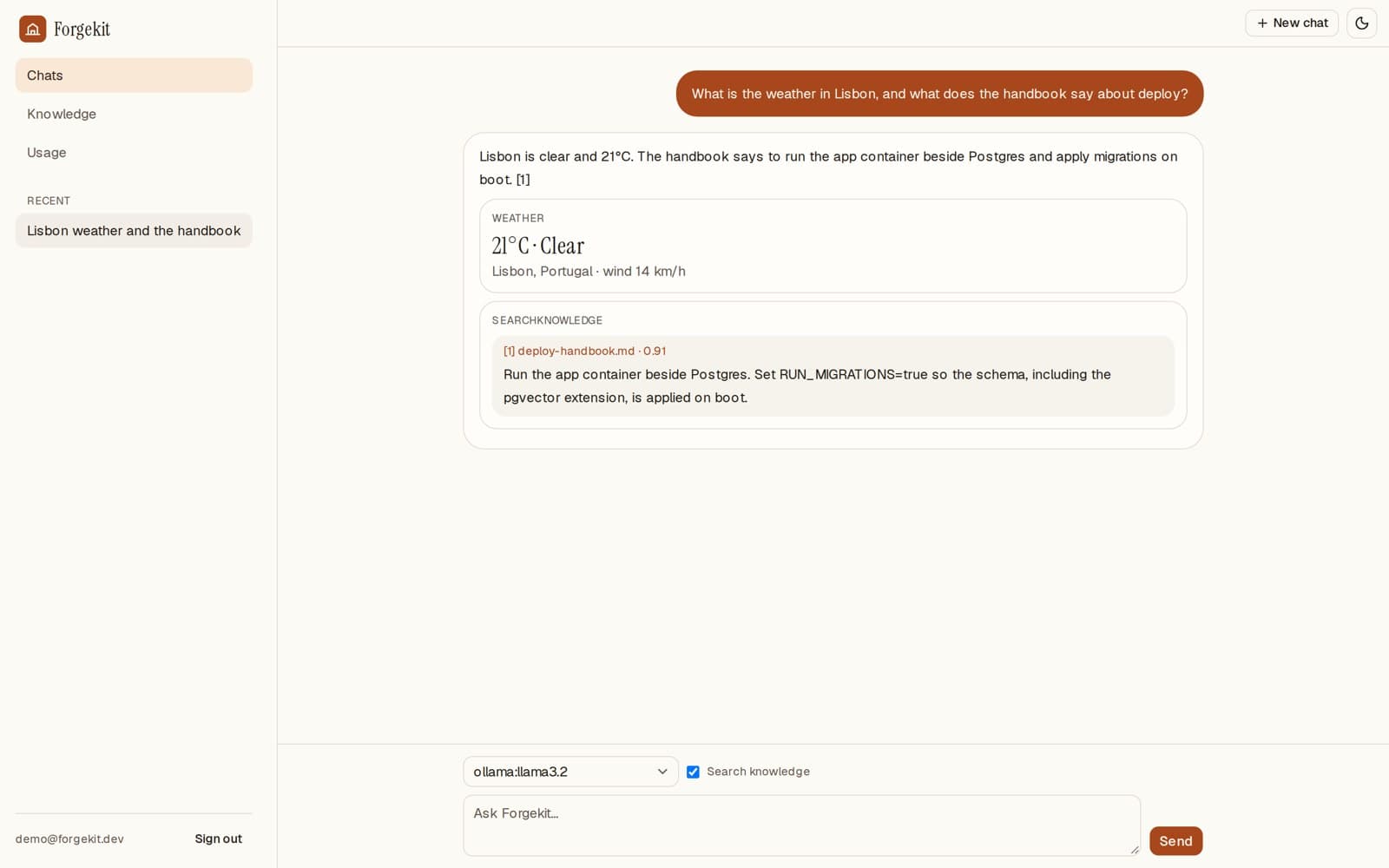
Pinned versions at the time of writing: Next.js 16.4.2, React 19.3, ai 7.0.142, Better Auth 1.7.10, Drizzle ORM 0.45.4 and the MCP SDK 1.32.1.
How do I run Forgekit locally?#
To run Forgekit locally, install Node.js 22, pnpm and Docker, then clone the repo and run the setup script. It copies .env.example to .env, generates an auth secret, starts PostgreSQL with pgvector through Docker Compose, installs dependencies and applies the Drizzle migrations. Then pnpm dev serves the app on port 3000.
git clone https://github.com/fabwaseem/forgekit.git
cd forgekit
bash scripts/setup.sh
pnpm dev
Open http://localhost:3000, create an account, and add at least one provider to .env. The cheapest way to try it is a local model:
# .env
OLLAMA_BASE_URL=http://127.0.0.1:11434
OLLAMA_MODELS=llama3.2,qwen2.5
# or any hosted provider
OPENAI_API_KEY=sk-...
The model picker only lists providers you have configured, so you never see a model that would fail.
What did I verify before publishing?#
On a clean checkout I ran pnpm install --frozen-lockfile, pnpm typecheck, pnpm lint, pnpm test (6 files, 15 tests) and pnpm build, and all passed. I then ran the app against a pgvector Postgres and a stubbed Ollama endpoint. Sign-up, chat creation, a streamed reply, saved history, usage totals and a document upload all worked, both with pnpm start and in the Docker image.
That smoke test found two bugs, which are now fixed on main. Assistant messages were saved with an empty id, so the second reply in a thread failed to save. And pnpm db:migrate and pnpm start did not read .env. That is what testing a starter is for.
How is Forgekit's architecture put together?#
Forgekit's architecture is a single Next.js App Router app and a single PostgreSQL database. The browser streams messages to one route handler, /api/chat. It checks the session and rate limit, then calls streamText with the chosen model and tools. Tool calls, including retrieval over pgvector, run on the server. When the stream ends, the messages and token usage are written to Postgres.
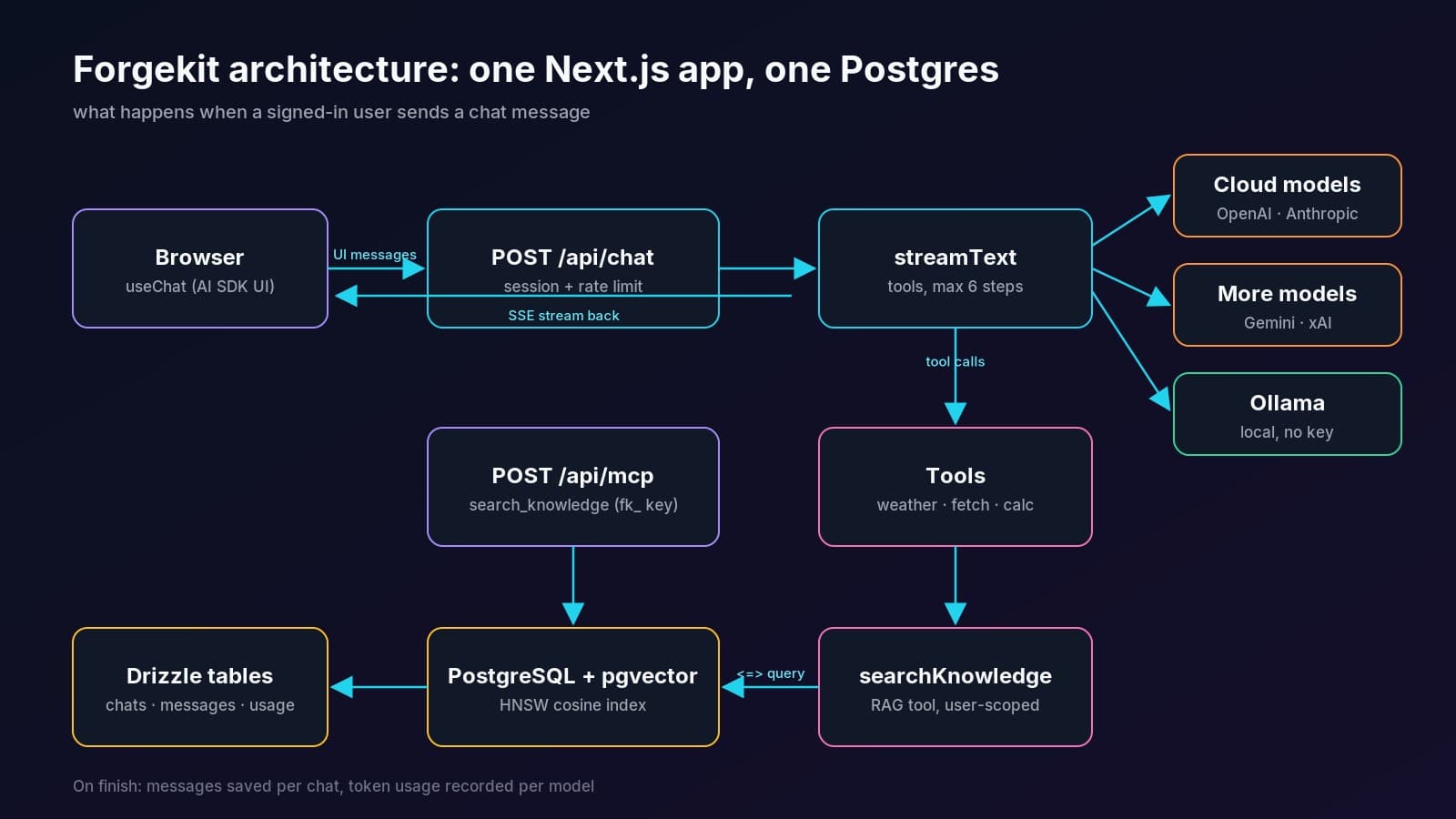
Keeping everything in Postgres is a deliberate choice. Chats, messages, documents, vector chunks, API keys, usage and the rate-limit fallback all live in one database you already know how to back up. pgvector is an extension, not another service.
What does the chat route look like?#
The chat route loads the saved thread, appends the new user message, streams the model's reply and saves the result when the stream ends. Here is the core of app/api/chat/route.ts:
const result = streamText({
  model: resolved.model,
  system: SYSTEM_PROMPT,
  messages: await convertToModelMessages(messages),
  tools,
  stopWhen: isStepCount(6),
  onEnd: async ({ totalUsage }) => {
    await recordUsage({
      userId: user.id,
      modelId: body.modelId!,
      inputTokens: totalUsage.inputTokens,
      outputTokens: totalUsage.outputTokens,
      totalTokens: totalUsage.totalTokens,
    });
  },
});

return createUIMessageStreamResponse({
  stream: toUIMessageStream({
    stream: result.stream,
    originalMessages: messages,
    sendSources: true,
    generateMessageId: () => crypto.randomUUID(),
    onEnd: async ({ messages: nextMessages, isAborted }) => {
      if (isAborted) return;
      await saveMessages(chat.id, nextMessages, body.modelId!);
    },
  }),
});
stopWhen: isStepCount(6) caps how many tool-call rounds a single answer can take, so a looping model cannot run up your bill. generateMessageId is the fix mentioned above. Without it, assistant messages have no stable id to persist. The AI SDK's message persistence guide covers the same pattern.
How does RAG with Next.js and pgvector work in Forgekit?#
RAG in Forgekit works in two steps. On upload, the text is split into 800-character chunks with 120 characters of overlap, embedded into 1536-dimension vectors and stored in a pgvector column with an HNSW cosine index. At question time, the searchKnowledge tool embeds the query, finds the closest chunks for that user only and returns them as numbered citations.
The search itself is a short Drizzle query using cosineDistance, following Drizzle's vector similarity guide:
const embedding = await embedQuery(query);
const similarity = sql<number>`1 - (${cosineDistance(chunk.embedding, embedding)})`;

const rows = await db
  .select({ content: chunk.content, documentName: document.name, score: similarity })
  .from(chunk)
  .innerJoin(document, eq(document.id, chunk.documentId))
  .where(eq(chunk.userId, userId))
  .orderBy(desc(similarity))
  .limit(Math.min(Math.max(limit, 1), 8));
Two details matter. First, the where(eq(chunk.userId, userId)) filter means one user can never retrieve another user's documents. Second, the index is HNSW with vector_cosine_ops, the approximate index type recommended in the pgvector README for fast search without a training step.
Embeddings use the first available of OpenAI (text-embedding-3-small), Google (gemini-embedding-001, with outputDimensionality set to 1536) or Ollama, unless EMBEDDING_PROVIDER picks one. The column is fixed at 1536 dimensions. For fully local RAG, pick an Ollama embedding model that outputs 1536 dimensions, or change the column and its migration together. The common nomic-embed-text model outputs 768.
How do I add a new AI provider?#
To add a provider to Forgekit, install its AI SDK package, add its models to the catalog in lib/ai/models.ts with the env var that enables them, and add one case to languageModelFor in lib/ai/providers.ts. The model picker, the /api/models endpoint and the chat route pick it up automatically, because they all read the same catalog.
Here is the whole provider switch:
export function languageModelFor(option: ModelOption) {
  switch (option.provider) {
    case "openai":
      return openai(option.model);
    case "anthropic":
      return anthropic(option.model);
    case "google":
      return google(option.model);
    case "xai":
      return xai(option.model);
    case "ollama":
      return createOllama({
        baseURL: ollamaBaseURL(process.env.OLLAMA_BASE_URL ?? "http://127.0.0.1:11434"),
      }).chat(option.model);
  }
}
For example, to add Mistral you would run pnpm add @ai-sdk/mistral, add "mistral" to PROVIDERS, add { provider: "mistral", model: "mistral-large-latest", label: "Mistral Large", env: "MISTRAL_API_KEY" } to CATALOG, and add case "mistral": return mistral(option.model);. TypeScript then flags any place that does not handle the new provider. The AI SDK docs list every official provider package.
How do I add a custom tool?#
A tool is a description, a Zod input schema and an execute function, defined with the AI SDK's tool() helper inside createChatTools in lib/ai/tools.ts. The model decides when to call it, the server runs it, and the result is streamed back as a message part that the UI can render as a card.
weather: tool({
  description: "Get the current weather for a city or place using a public forecast.",
  inputSchema: z.object({
    location: z.string().min(1).describe("City or place name"),
  }),
  execute: async ({ location }) => {
    // geocode with Open-Meteo, then fetch current conditions
  },
}),
Tools receive the userId, so anything they read or write can be scoped to the signed-in user. The built-in webFetch tool also refuses private network addresses, which you should keep in mind for any tool that fetches URLs a model chose.
What is the MCP endpoint for?#
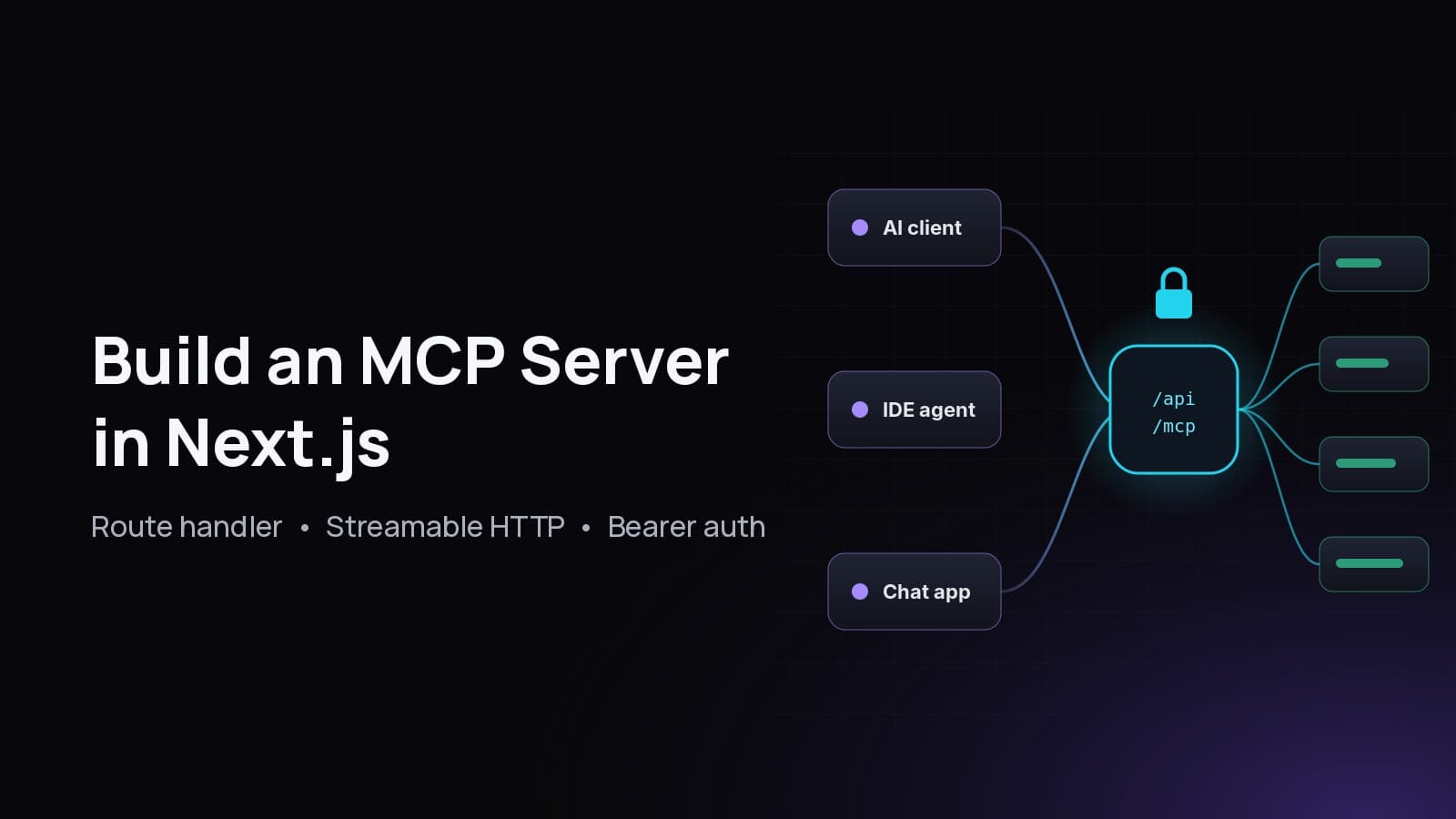
Forgekit's MCP endpoint lets other AI clients, such as Claude Desktop, Cursor or your own agent, search your Forgekit knowledge base. POST /api/mcp speaks the Model Context Protocol and exposes one tool, search_knowledge. Callers authenticate with a personal fk_ bearer key created on the Usage page, and only the hash of each key is stored.
If you want to build one of these from scratch, I wrote a full guide on how to build an MCP server in Next.js.
How does Forgekit compare with other Next.js AI templates?#
Forgekit's closest alternative is Vercel's open-source Chatbot template, a full-featured, hackable Next.js AI chatbot that is a great choice on Vercel. Forgekit differs mainly in being self-hosting first: direct provider SDKs plus local Ollama, retrieval in your own Postgres, and one Docker image. Both are good starting points. The right one depends on where you deploy.
Comparison based on each project's README as of October 2026. Check the repos for current details.
If you are all-in on Vercel's platform, the Vercel template integrates its services seamlessly. If you want to own the whole stack on your own server, or run models locally, Forgekit is designed for that.
How do I deploy Forgekit with Docker or Coolify?#
To deploy Forgekit, build the included multi-stage Dockerfile, run it next to a PostgreSQL server that has the vector extension, and set DATABASE_URL, BETTER_AUTH_SECRET, BETTER_AUTH_URL, your provider keys and RUN_MIGRATIONS=true. The container applies the Drizzle migrations on boot and serves Next.js standalone output on port 3000, with a /api/health check that pings the database.
docker compose up -d --build   # app + pgvector/pgvector:pg17
curl http://localhost:3000/api/health   # {"ok":true}
The production image I built measured 284 MB. It runs as a non-root user and contains only the standalone output, static assets and the migration files. I explain each layer in my production Next.js Dockerfile guide.
On Coolify, create a PostgreSQL resource using the pgvector/pgvector image, add the repo as a Dockerfile application, paste the env vars and deploy. My step-by-step Coolify guide covers domains, TLS and webhooks. One gotcha: inside a container, 127.0.0.1 is the container itself, so point OLLAMA_BASE_URL at a reachable Ollama host.
On Vercel, use a hosted Postgres with pgvector, run pnpm db:migrate against it once, and use hosted providers, since Ollama on your laptop is not reachable from Vercel. Not sure which to choose? See Coolify vs Vercel for Next.js.
Who should use Forgekit?#
Forgekit suits developers who want to ship an AI product on infrastructure they control. That includes indie hackers building an AI SaaS, teams that need internal chat over company documents, and anyone who wants to try local models before paying for an API. It is also a readable reference if you just want to see how streaming, tools, RAG and auth fit together in Next.js 16.
The lib folder is under 1,000 lines of TypeScript, so you can read the whole core in an afternoon. More of my work is on the projects page.
Get the code: github.com/fabwaseem/forgekit. Star it if it helps, and open an issue if something breaks.
Questions
Is Forgekit free to use commercially?
Yes. Forgekit is MIT licensed, so you can use, modify and sell products built on it. Keep the license notice in your copy of the code.
Can I run Forgekit without any paid API keys?
Yes for chat. Set `OLLAMA_BASE_URL` and run models locally with Ollama. Local RAG needs an Ollama embedding model that outputs 1536 dimensions, or a change to the vector column size.
Does Forgekit need a separate vector database?
No. Embeddings are stored in PostgreSQL with the pgvector extension and an HNSW cosine index. Your chats, users and vectors live in one database.
Which Next.js version does Forgekit use?
Forgekit uses Next.js 16 with the App Router, React 19 and AI SDK 7. Exact versions are pinned in `package.json` and listed in the README.
Can I deploy Forgekit to Vercel?
Yes. Use a hosted Postgres that supports pgvector, run the migrations once, and configure hosted model providers. Ollama is only practical on Docker or a VPS.
How do I limit how much each user can spend?
Forgekit has a per-user sliding-window rate limit (30 requests per 60 seconds by default, set with `RATE_LIMIT_REQUESTS` and `RATE_LIMIT_WINDOW_SECONDS`). It also records token usage per model, so you can add hard quotas on top.
Share