Free OG Image Generator: Open Graph Image Sizes and Dynamic OG Images in Next.js
A free OG image generator for 1200x630 PNGs, plus Open Graph image sizes for every platform, dynamic OG images in Next.js with next/og, meta tags and debugging.

On this page
- What is an OG image?
- What is the correct Open Graph image size?
- What OG and Twitter card sizes does each platform use?
- How do I use the free OG image generator?
- Can I use the generated image URL directly in my meta tags?
- How do I generate dynamic OG images in Next.js?
- Which meta tags does an OG image need?
- How do I test and debug an OG image?
- Static OG image or dynamic OG image: which should I use?
- Frequently asked questions
- Is this OG image generator really free?
- What size is an OG image in Next.js?
- Do I need separate Twitter card images?
- Why is my OG image not showing?
- Can I use WebP or SVG for OG images?
- Does an OG image help SEO?
- Key takeaways
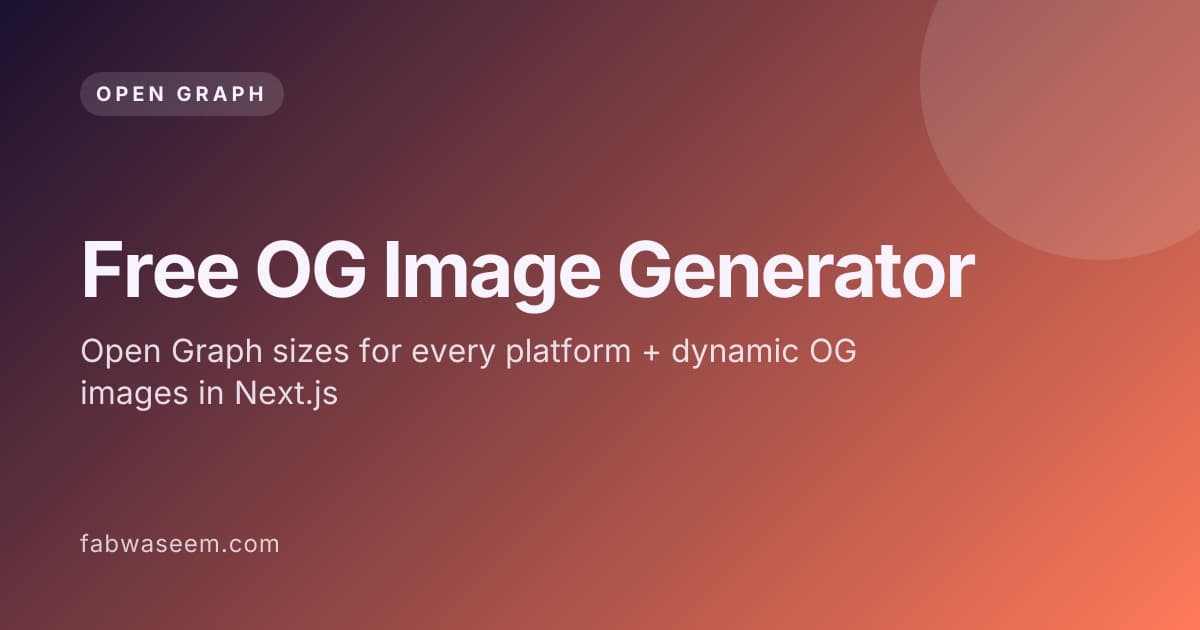
A free OG image generator turns a title, a subtitle and a few colors into a 1200×630 PNG that link previews can display. I built one you can use right now, with no account and no watermark: open the free OG image generator. It exports a ready PNG, gives you a live image URL, and writes the matching Next.js opengraph-image.tsx file for the template you picked.
This guide covers what an OG image is, the correct Open Graph image size for every major platform, how to use the tool, how to generate dynamic OG images in Next.js with next/og, the exact meta tags you need, and how to debug a preview that refuses to update.
What is an OG image?#
An OG (Open Graph) image is the picture a social network or messaging app shows when someone shares a link. The page declares it with an og:image meta tag, defined by the Open Graph protocol, and the platform downloads that URL. Without one, the platform shows no image or guesses one from the page, which rarely looks good.
The Open Graph protocol was created by Facebook and is now read by LinkedIn, Slack, Discord, WhatsApp, iMessage and most chat apps. X (Twitter) reads its own twitter:* tags first and falls back to Open Graph tags when they are missing.
Definition: an OG image is the image referenced by a page's og:image meta tag. A dynamic OG image is one rendered on request (or at build time) from code, usually with the page title baked in, instead of a static file designed by hand.
What is the correct Open Graph image size?#
Use 1200×630 pixels, a 1.91:1 aspect ratio, as a PNG or JPG under 5 MB. Facebook recommends at least 1200×630 for high-resolution displays, LinkedIn asks for at least 1200×627 at 1.91:1, and X's large card crops toward 2:1 but displays a 1200×630 image fine. One 1200×630 file covers almost every platform.
Keep the important text inside a safe zone: leave roughly 60 to 80 px of padding on every side, because some apps crop the edges or round the corners. Large, high-contrast titles survive small mobile previews far better than paragraphs of small text.
What OG and Twitter card sizes does each platform use?#
Each platform publishes slightly different rules, but they converge on 1.91:1. The table below lists the recommended size and the hard limits from each platform's own documentation, so you can design one image and know where it might be cropped.
Sources: Facebook image guidelines, LinkedIn sharing image requirements, X summary card with large image and the Next.js opengraph-image docs.
How do I use the free OG image generator?#
Open the tool, pick a template, type your title, subtitle and author, choose a font and three colors, then click Download PNG. The preview updates as you type and always renders at 1200×630. You can also copy the image URL to use directly in og:image, or copy the Next.js code.
Step by step:
- Go to fabwaseem.com/tools/og-image-generator.
- Choose one of six templates: Blog post (title, dek and byline), Product / SaaS (launch card with a mark), Minimal (type and empty space), Gradient (full-bleed color), Code snippet (editor window) or Personal / profile (name, role and portrait).
- Fill in the title, subtitle and author. For the product and profile templates you can add a logo or avatar URL (HTTPS only; PNG, JPEG, WebP or GIF up to 1.5 MB).
- Pick a font: Inter, Syne, Space Grotesk, Playfair Display, JetBrains Mono or Urbanist.
- Set the background, text and accent colors.
- Click Download PNG, Copy URL, or Copy code for an
opengraph-image.tsxfile.
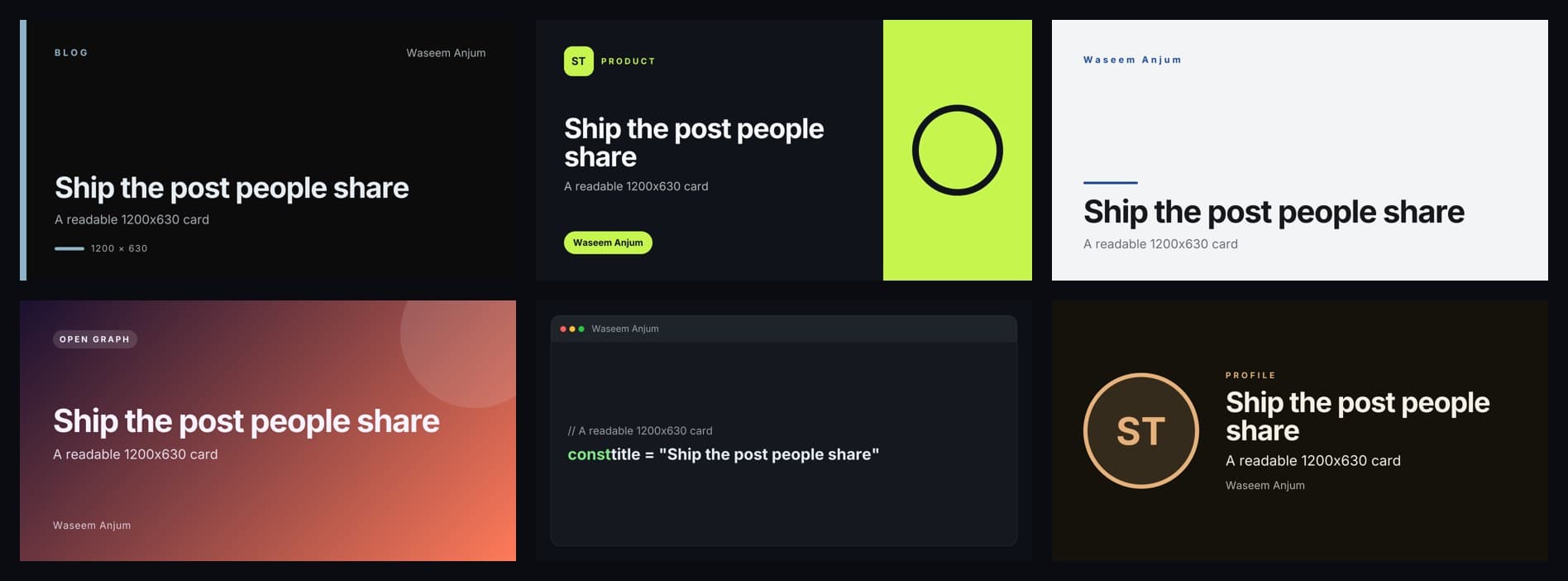
The PNG is rendered when its URL is requested and is not stored as a file. Browsers and the CDN may cache the exact URL for a day, so the same card loads fast the next time.
Can I use the generated image URL directly in my meta tags?#
Yes. The Copy URL button gives you an absolute HTTPS link to /api/og-tool with your settings in the query string, and that URL always returns a 1200×630 PNG. Paste it into og:image and twitter:image. For production sites, downloading the PNG or using the generated Next.js file keeps you independent of a third-party URL.
Here is the shape of a generated URL (shortened):
https://www.fabwaseem.com/api/og-tool?template=blog&title=Ship+the+post+people+actually+share&subtitle=A+readable+1200%C3%97630+card&author=Waseem+Anjum&font=syneHow do I generate dynamic OG images in Next.js?#
Add an opengraph-image.tsx file to any App Router segment and default-export a function that returns an ImageResponse from next/og. Next.js turns that route into an image and injects the og:image, og:image:width, og:image:height, og:image:type and og:image:alt tags into the page head automatically. No meta tags are written by hand.
This is the pattern from the official Next.js docs, adapted for a blog post route with a dynamic slug:
// app/blog/[slug]/opengraph-image.tsx
import { ImageResponse } from 'next/og'
import { readFile } from 'node:fs/promises'
import { join } from 'node:path'
import { getPost } from '@/lib/posts'

export const alt = 'Blog post cover'
export const size = { width: 1200, height: 630 }
export const contentType = 'image/png'

export default async function Image({
  params,
}: {
  params: Promise<{ slug: string }>
}) {
  const { slug } = await params
  const post = await getPost(slug)
  const interSemiBold = await readFile(
    join(process.cwd(), 'assets/Inter-SemiBold.ttf')
  )

  return new ImageResponse(
    (
      <div
        style={{
          width: '100%',
          height: '100%',
          display: 'flex',
          flexDirection: 'column',
          justifyContent: 'flex-end',
          padding: 72,
          background: '#0C0C0C',
          color: '#F5F5F5',
        }}
      >
        <div style={{ display: 'flex', fontSize: 28, color: '#8FB4C9' }}>
          yoursite.com/blog
        </div>
        <div style={{ display: 'flex', fontSize: 72, lineHeight: 1.05, marginTop: 16 }}>
          {post.title}
        </div>
      </div>
    ),
    {
      ...size,
      fonts: [
        { name: 'Inter', data: interSemiBold, style: 'normal', weight: 600 },
      ],
    }
  )
}
A few facts from the docs worth knowing before you ship it:
- The default export receives
paramsas a Promise, soawaitit (Next.js 15 and later). - Generated images are statically optimized at build time and cached, unless they use request-time APIs or uncached data.
ImageResponseuses Satori and Resvg to turn JSX and CSS into a PNG. Only flexbox and a subset of CSS work;display: griddoes not. Everydivwith more than one child needsdisplay: 'flex'.- The ImageResponse reference lists a 500 KB maximum bundle size, which includes your JSX, CSS, fonts and images. Fonts must be TTF, OTF or WOFF.
- Add a
twitter-image.tsxwith the same code if you want a separate X image; otherwise X falls back toog:image.
The free generator writes this file for you. Its output loads the chosen Google Font at render time with a small loadFont helper, so you can paste it into a segment and run it without adding font files.
Which meta tags does an OG image need?#
At minimum you need og:title, og:description, og:url, og:type and og:image with an absolute HTTPS URL, plus twitter:card set to summary_large_image for a large X card. Adding og:image:width, og:image:height and og:image:alt helps platforms render the first share without waiting to download the image.
If you are not on Next.js, paste this into your <head>:
<meta property="og:type" content="article" />
<meta property="og:title" content="Your page title" />
<meta property="og:description" content="One sentence that earns the click." />
<meta property="og:url" content="https://example.com/blog/your-post" />
<meta property="og:image" content="https://example.com/og/your-post.png" />
<meta property="og:image:width" content="1200" />
<meta property="og:image:height" content="630" />
<meta property="og:image:alt" content="Short description of the image" />
<meta name="twitter:card" content="summary_large_image" />
<meta name="twitter:title" content="Your page title" />
<meta name="twitter:description" content="One sentence that earns the click." />
<meta name="twitter:image" content="https://example.com/og/your-post.png" />
In the Next.js App Router you can set the same values with the Metadata API. Set metadataBase in your root layout so relative image paths resolve to absolute URLs:
// app/layout.tsx
import type { Metadata } from 'next'

export const metadata: Metadata = {
  metadataBase: new URL('https://example.com'),
  openGraph: {
    images: [{ url: '/og.png', width: 1200, height: 630, alt: 'Example' }],
  },
  twitter: { card: 'summary_large_image' },
}
How do I test and debug an OG image?#
Paste the page URL into the Facebook Sharing Debugger and the LinkedIn Post Inspector, then click scrape again to clear their cache. Open the og:image URL in a browser to confirm it returns a 200 image. Finally, drop the link into Slack or Discord and check the unfurl. Most broken previews are a relative URL, a blocked crawler or a stale cache.
Testing tools:
- Facebook Sharing Debugger: shows exactly which tags Facebook read and lets you force a re-scrape.
- LinkedIn Post Inspector: refreshes LinkedIn's cached preview.
curl -I https://example.com/og.png: should return200andcontent-type: image/png.curl -s https://example.com/page | grep og:image: confirms the tag is in the server HTML, not added later by client JavaScript.
Common causes and fixes:
Static OG image or dynamic OG image: which should I use?#
Use a static 1200×630 file for pages that rarely change, such as the home page, and dynamic OG images for content that grows, such as blog posts, docs and product pages. Dynamic images keep every share on-brand automatically, while a static file is the simplest and fastest option for a handful of pages.
The generator sits in the middle: design visually, then either download a static PNG or copy the code to make it dynamic.
Frequently asked questions#
Is this OG image generator really free?#
Yes. It runs in the browser with no account, no sign-up and no watermark on the PNG. You can download images, copy the image URL or copy the Next.js code as often as you like.
What size is an OG image in Next.js?#
The Next.js docs use size = { width: 1200, height: 630 } in opengraph-image.tsx, and ImageResponse defaults to 1200×630. Image files must stay under 8 MB for opengraph-image and 5 MB for twitter-image, or the build fails.
Do I need separate Twitter card images?#
Usually not. X reads twitter:image first and falls back to og:image. Add twitter:card with the value summary_large_image so X shows the large card. Create a separate twitter-image only if you want a different design for X.
Why is my OG image not showing?#
The most common reasons are a relative image URL, a page that blocks crawlers, a tag added by client-side JavaScript, or a cached old preview. Use an absolute https URL, check the server HTML and re-scrape in the Facebook Sharing Debugger.
Can I use WebP or SVG for OG images?#
Use PNG or JPG for the widest support. X accepts WEBP, but SVG is not supported by the major platforms, and the Next.js file convention accepts JPG, PNG and GIF for static image files. The free generator always outputs PNG.
Does an OG image help SEO?#
It does not directly change Google rankings, but it improves click-through when links are shared on social networks and in chat apps. For AI search visibility, pair it with good metadata and structured data, as covered in my Next.js SEO for AI search guide.
Key takeaways#
- Design every OG image at 1200×630 (1.91:1), under 5 MB, with 60 to 80 px of padding.
og:imagemust be an absolute HTTPS URL; in Next.js, setmetadataBase.- In Next.js, an
opengraph-image.tsxwithImageResponsefromnext/oggenerates the image and the meta tags for you. Use flexbox only. - Add
twitter:card=summary_large_image; X falls back toog:imagefor the picture. - Always re-scrape in the Facebook Sharing Debugger and LinkedIn Post Inspector after changing an image.
Ready to make one? Create your free OG image now: pick a template, download the PNG or copy the Next.js code. For more of what I build, see my projects or head back to the home page.
Questions
Is this OG image generator really free?
Yes. It runs in the browser with no account, no sign-up and no watermark on the PNG. You can download images, copy the image URL or copy the Next.js code as often as you like.
What size is an OG image in Next.js?
The Next.js docs use size = { width: 1200, height: 630 } in opengraph-image.tsx, and ImageResponse defaults to 1200x630. Image files must stay under 8 MB for opengraph-image and 5 MB for twitter-image, or the build fails.
Do I need separate Twitter card images?
Usually not. X reads twitter:image first and falls back to og:image. Set twitter:card to summary_large_image so X shows the large card. Create a separate twitter-image only if you want a different design for X.
Why is my OG image not showing?
Common reasons are a relative image URL, a page that blocks crawlers, a tag added by client-side JavaScript, or a cached old preview. Use an absolute https URL, check the server HTML and re-scrape in the Facebook Sharing Debugger.
Can I use WebP or SVG for OG images?
Use PNG or JPG for the widest support. X accepts WEBP, SVG is not supported by the major platforms, and the Next.js file convention accepts JPG, PNG and GIF for static files. The free generator outputs PNG.
Does an OG image help SEO?
It does not directly change Google rankings, but it improves click-through when links are shared on social networks and in chat apps. Pair it with good metadata and structured data for AI search visibility.
Share