Free llms.txt Generator: What llms.txt Is and How to Create One
A free llms.txt generator that builds a spec-style llms.txt and llms-full.txt from your sitemap, plus what llms.txt is, the format, SEO impact and Next.js setup.

On this page
- What is llms.txt?
- What is llms.txt used for?
- Does llms.txt help SEO or AI search rankings?
- What is the llms.txt format?
- What is the difference between llms.txt, llms-full.txt, robots.txt and sitemap.xml?
- How do I create an llms.txt file with the free generator?
- How do I add llms.txt to a Next.js site?
- How do I check that my llms.txt works?
- What should I put in llms.txt?
- Common llms.txt mistakes
- Frequently asked questions
- Is the llms.txt generator free?
- Where do I put the llms.txt file?
- Does Google use llms.txt?
- What is llms-full.txt?
- How often should I update llms.txt?
- Is llms.txt the same as robots.txt?
- Key takeaways
- Try the llms.txt generator
An llms.txt generator builds the /llms.txt file that tells AI agents and chat assistants what your site is and which pages matter. I built a free one that reads your sitemap and writes a spec-style file in a few seconds, with no account: open the free llms.txt generator. It also writes an optional llms-full.txt with a short excerpt of every page.
This guide explains what llms.txt is, what it does and does not do for SEO, the exact format from the official proposal, how to use the generator step by step, how to serve the file from Next.js, and how to check that it works.
What is llms.txt?#
llms.txt is a Markdown file at the root of a website (/llms.txt) that gives large language models a short, curated map of the site. It starts with an H1 name and a one-line summary, then lists the important pages as Markdown links with notes. Agents read it to find the right page without parsing the whole site.
The format was proposed by Jeremy Howard of Answer.AI on September 3, 2024, and the llms.txt proposal was updated to v2 in August 2026. The proposal lives in an open GitHub repository.
Definition: llms.txt is a Markdown index for AI agents, placed at /llms.txt (or at a subpath such as /docs/llms.txt), that summarizes a site and links to its most useful pages. llms-full.txt is a common companion file that includes the content itself, or excerpts of it, in one document.
TL;DR
- llms.txt is a Markdown file at
/llms.txtwith an H1, a blockquote summary and H2 sections of links. - Only the H1 is required. An
## Optionalsection marks links an agent can skip. - It is a guide for agents at answer time, not an access control file like robots.txt.
- Google says you do not need it to appear in AI Overviews or AI Mode, so treat it as a low-cost extra for agents and AI assistants, not a ranking trick.
- Generate one free at fabwaseem.com/tools/llms-txt-generator, edit it, and serve it as plain text.
What is llms.txt used for?#
llms.txt is used to give AI agents a fast, clean starting point. A coding agent can read a library's llms.txt to find the right API page. A chat assistant browsing your site can read it to learn who you are and where your pricing, docs or blog live. It saves tokens because the agent skips navigation, ads and scripts.
The proposal says the files are used most heavily for software documentation, and that the AI labs publish their own: OpenAI (developers.openai.com/llms.txt), Anthropic (docs.anthropic.com/llms.txt) and Google's Gemini API docs (ai.google.dev/gemini-api/docs/llms.txt). It also lists platforms that generate the file automatically, including Mintlify, GitBook, Yoast SEO, AIOSEO and Wix.
Typical uses:
Does llms.txt help SEO or AI search rankings?#
llms.txt does not directly improve Google rankings. Google's guidance on AI features and your website says there are no extra requirements for AI Overviews or AI Mode and that you do not need new machine-readable files or AI text files to appear in them. Its value is for agents that choose to read it.
So be honest about the trade-off. llms.txt costs a few minutes to publish and can help any assistant or coding agent that fetches it. It will not replace the basics that every AI answer engine still depends on: crawlable pages, a sitemap, clear titles, structured data that matches the page, and content that answers the question in its first lines. If you want to check those basics, run your site through the free AI SEO checker; it also checks for llms.txt.
What is the llms.txt format?#
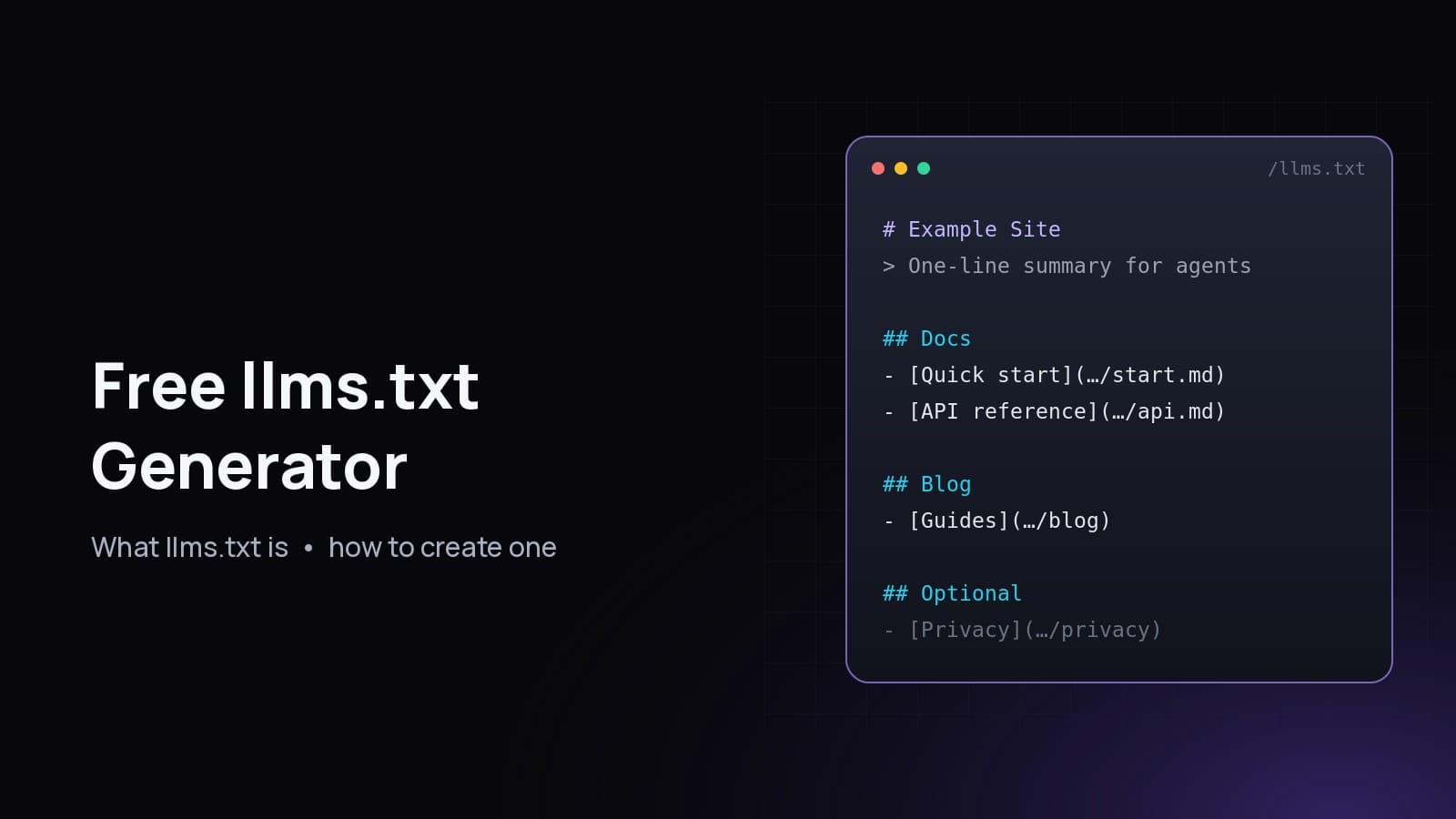
The format, from the official proposal, is Markdown sections in a fixed order: an optional byte-order mark, an H1 with the site or project name (the only required part), a blockquote summary, optional paragraphs or lists with no headings, then zero or more H2 sections that each contain a list of [name](url) links with optional : notes.
Here is the shape:
# Site name

> One-sentence summary with the key facts an agent needs.

Optional notes about how to read the links below.

## Docs

- [Quick start](https://example.com/docs/start.md): Install and first request
- [API reference](https://example.com/docs/api.md): Every endpoint and parameter

## Optional

- [Changelog](https://example.com/changelog)
Rules worth remembering:
The proposal also suggests offering a clean Markdown version of important pages at the same URL with .md added, and linking them with rel="alternate" type="text/markdown". That is optional, and many sites start with the index alone.
What is the difference between llms.txt, llms-full.txt, robots.txt and sitemap.xml?#
robots.txt says which crawlers may fetch which paths. sitemap.xml lists every indexable URL for search engines. llms.txt is a short, curated Markdown guide for AI agents with notes about each link. llms-full.txt is a larger companion that holds page content or excerpts in one file, so an agent can read everything in a single request.
The proposal makes the same point: a sitemap often lacks LLM-readable versions, leaves out helpful external links, and is usually too big to fit in a model's context window. llms.txt is the short version.
How do I create an llms.txt file with the free generator?#
Enter your homepage URL in the free llms.txt generator. It reads Sitemap: lines in your robots.txt, then your sitemap (falling back to homepage links), visits up to 30 pages, groups them into sections and writes llms.txt plus llms-full.txt. Review the preview, edit it, then copy or download it.
Step by step:
- Open the tool at fabwaseem.com/tools/llms-txt-generator.
- Pick a mode. Use Site URL to crawl from your homepage, or Paste URLs to list up to 30 exact pages you want included.
- Enter your homepage, for example
https://example.com, and run it. The tool reads robots.txt forSitemap:entries, then the sitemap. If there is no sitemap, it uses links from your homepage. - Check the summary. The H1 and blockquote come from your homepage title and meta description. Rewrite the summary so it states who you are and what you offer in one sentence.
- Review the sections. Pages are grouped by path: the homepage under Main,
/blog/or/articles/under Blog,/docs/-style API paths under API,/pricingand/featuresunder Product,/aboutand/careersunder About, and privacy, terms and login pages under Optional. Other paths get a section named after their first folder. - Edit the notes. Each link carries a note from the page's description. Shorten them to what an agent needs to know.
- Copy or download
llms.txt, andllms-full.txtif you want it. The full file adds a short excerpt (up to about 800 characters) of each page. - Publish the file at
https://yourdomain.com/llms.txtand confirm it loads as plain text.
What the tool does and does not do, so you know the limits:
How do I add llms.txt to a Next.js site?#
In the Next.js App Router, either put a static llms.txt file in the public/ folder, or create a route handler at app/llms.txt/route.ts that returns the text with a text/plain content type. The route handler is better when your pages come from a CMS, because the file stays in sync with your content.
Static option: save the generated file as public/llms.txt. Next.js serves it at /llms.txt.
Dynamic option:
// app/llms.txt/route.ts
import { getPublishedPosts } from "@/lib/posts"

export const revalidate = 3600

export async function GET() {
  const posts = await getPublishedPosts()
  const lines = [
    "# Example Studio",
    "",
    "> Example Studio builds Next.js apps and publishes guides on self-hosting and AI search.",
    "",
    "## Main",
    "",
    "- [Home](https://example.com/): Services and contact",
    "- [Projects](https://example.com/projects): Case studies",
    "",
    "## Blog",
    "",
    ...posts.map((p) => `- [${p.title}](https://example.com/blog/${p.slug}): ${p.excerpt}`),
  ]
  return new Response(lines.join("\n"), {
    headers: { "Content-Type": "text/plain; charset=utf-8" },
  })
}
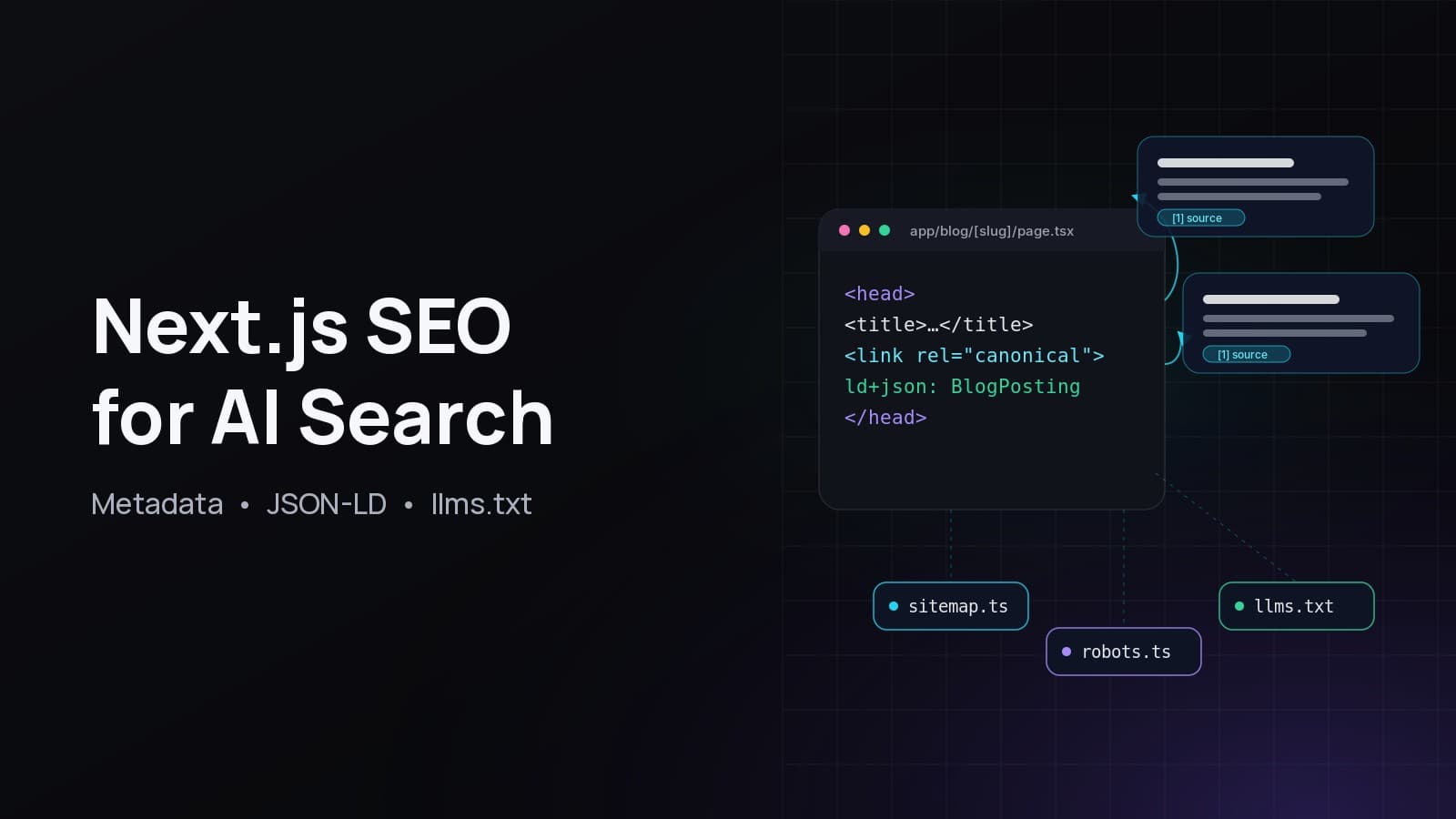
This site does exactly that: fabwaseem.com/llms.txt is built from published posts and projects. For the rest of the setup (metadata, sitemap and JSON-LD), see my guide to Next.js SEO for AI search.
How do I check that my llms.txt works?#
Open https://yourdomain.com/llms.txt in a browser and confirm it returns HTTP 200 with a text/plain or text/markdown content type, starts with an H1, and has absolute https links that all load. Then give only that URL to an AI assistant and ask it questions about your site to see whether it finds the right pages.
A quick checklist:
curl -I https://yourdomain.com/llms.txtreturns200.- The first line is
# Your name. - The blockquote is one or two sentences with real facts, not slogans.
- Every link is absolute and returns 200, with no redirects to login pages.
- The file is small. If it is long, move secondary links to
## Optional. - robots.txt does not block the path for the crawlers you care about. Each AI company documents its own user agents: OpenAI, Anthropic and Perplexity.
The AI SEO checker runs the H1 and link checks for you as part of a full report.
What should I put in llms.txt?#
Put the pages that answer the questions people actually ask about you: what you do, pricing or services, docs or guides, key articles, and how to contact you. Use a one-sentence factual summary, short notes per link, and an Optional section for legal pages and archives. Leave out thin pages, tag archives, search pages and anything behind a login.
Good and bad examples:
Common llms.txt mistakes#
The most common mistakes are serving the file as HTML instead of plain text, missing the H1, using relative links, dumping the entire sitemap, and writing a marketing tagline instead of a factual summary. Each one makes the file harder for an agent to parse or less useful once parsed.
- Served as HTML. A framework's 404 page or a rewrite returns HTML. Check the content type.
- No H1. The H1 is the one required element.
- Headings in the intro. Only H2 headings are allowed, and only for file lists.
- Relative links. Agents may read the file out of context. Use full URLs.
- Stale links. Regenerate after big content changes, or build it from your CMS.
- Expecting a ranking boost. It helps agents that read it. It is not a Google ranking factor.
Frequently asked questions#
Is the llms.txt generator free?#
Yes. The generator at fabwaseem.com/tools/llms-txt-generator is free, needs no account and adds no watermark or branding to the file. There is a small per-visitor rate limit so the tool stays fast for everyone.
Where do I put the llms.txt file?#
Put it at the root of your domain so it loads at https://yourdomain.com/llms.txt. The proposal also allows subpaths, such as /docs/llms.txt for documentation only, and agents should use the most specific file that covers a page.
Does Google use llms.txt?#
Google's documentation for AI Overviews and AI Mode says you do not need new machine-readable files or AI text files to appear in those features. Treat llms.txt as a help for agents and assistants that read it, not as a Google ranking signal.
What is llms-full.txt?#
llms-full.txt is a companion file that puts page content, or excerpts of it, into one Markdown document so an agent can read everything in one request. The generator writes one with a short excerpt per page. Keep llms.txt as the short index.
How often should I update llms.txt?#
Update it whenever you add or remove important pages. If your site uses a CMS, generate the file from your content with a route handler so it never goes stale. Otherwise, rerun the generator after major releases.
Is llms.txt the same as robots.txt?#
No. robots.txt controls which crawlers may fetch which paths. llms.txt does not grant or block anything. It is a Markdown guide that tells agents what your site contains and which pages matter.
Key takeaways#
- llms.txt is a Markdown map for AI agents at
/llms.txt: an H1, a summary and H2 lists of links. - It complements robots.txt and sitemap.xml. It does not replace them and is not a Google ranking factor.
- Keep it short and factual, with absolute links and an
## Optionalsection for secondary pages. - In Next.js, serve it from
public/or a route handler that builds it from your content. - Generate a draft in seconds with the free llms.txt generator, then edit it.
Try the llms.txt generator#
Paste your homepage into the free llms.txt generator, edit the summary, and publish the file today. Then run the page through the AI SEO checker to see what else AI answer engines need from your site. More free tools are on the tools page, and you can see what I build on my projects page.
Questions
Is the llms.txt generator free?
Yes. The generator at fabwaseem.com/tools/llms-txt-generator is free, needs no account and adds no branding to the file. A small per-visitor rate limit keeps it fast for everyone.
Where do I put the llms.txt file?
At the root of your domain so it loads at https://yourdomain.com/llms.txt. The proposal also allows subpaths such as /docs/llms.txt, and agents use the most specific file that covers a page.
Does Google use llms.txt?
Google's documentation for AI Overviews and AI Mode says you do not need new machine-readable files or AI text files to appear in them. Treat llms.txt as a help for agents that read it, not a Google ranking signal.
What is llms-full.txt?
A companion file that puts page content, or excerpts, into one Markdown document so an agent can read everything in one request. The generator writes one with a short excerpt per page. Keep llms.txt as the short index.
How often should I update llms.txt?
Whenever you add or remove important pages. With a CMS, generate it from your content with a route handler so it never goes stale; otherwise rerun the generator after major releases.
Is llms.txt the same as robots.txt?
No. robots.txt controls which crawlers may fetch which paths. llms.txt grants or blocks nothing; it is a Markdown guide to what your site contains and which pages matter.
Share