Server-Sent Events in NestJS: Real-Time Job Progress with @Sse (Tested)
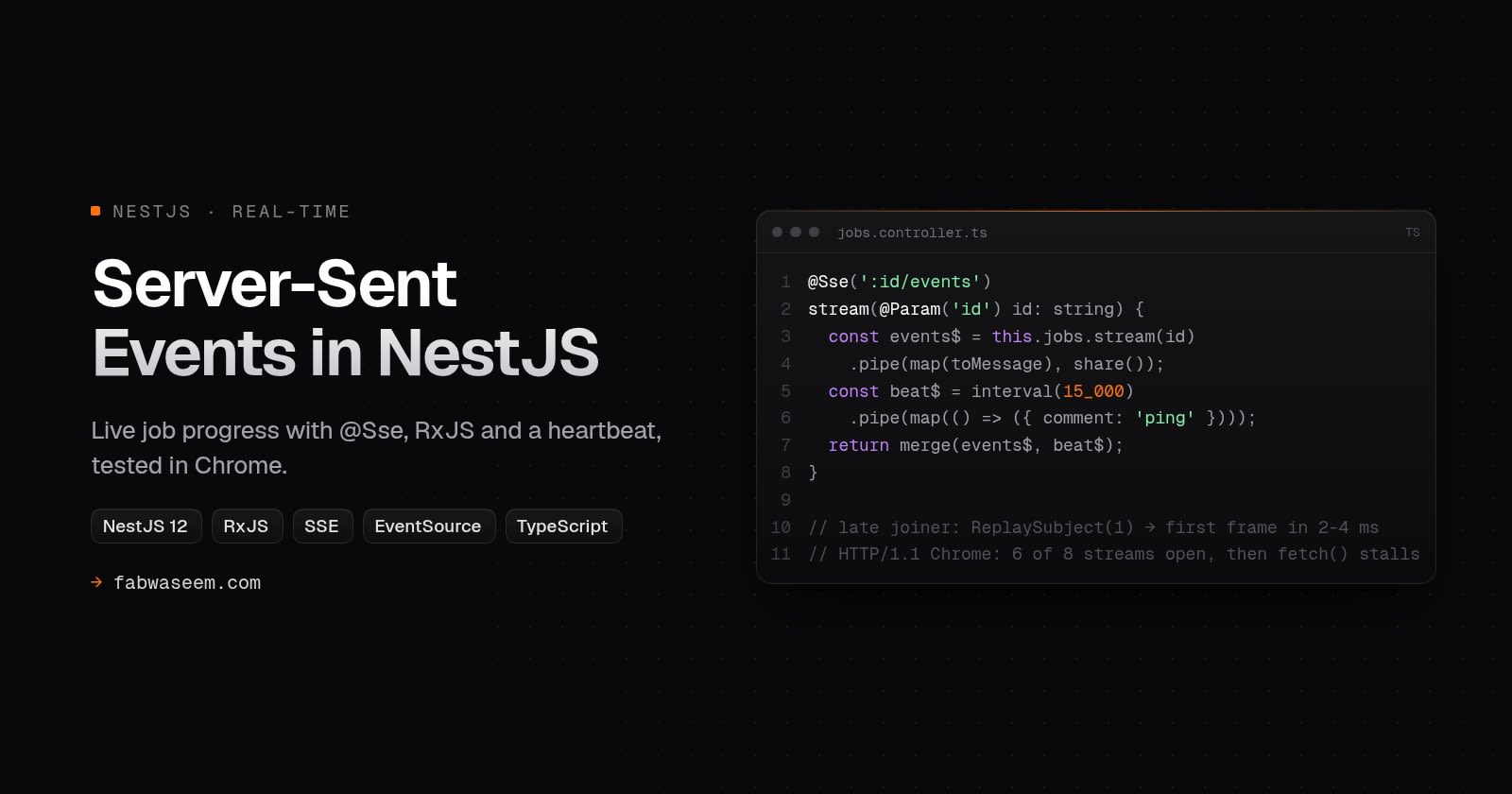
How to stream live job progress from NestJS with @Sse and RxJS, with the patterns from my Snagbox API: ReplaySubject per job, your own event ids, comment heartbeats, and why one stream per item stalls Chrome. Every behaviour tested on NestJS 12.1.3.

On this page
Server-Sent Events (SSE) are the simplest way to push live updates from a NestJS API to a browser. The client opens one long-lived HTTP response, the server writes data: frames into it, and the browser's built-in EventSource parses them and reconnects on its own. NestJS supports this with one decorator, @Sse(), and an RxJS Observable.
The basic example takes ten lines. The production version takes more thought. I use SSE in Snagbox, my open-source NestJS media downloader API, to stream job progress while a download runs. This guide walks through the patterns from that codebase, and every claim about behaviour below comes from a test I ran on NestJS 12.1.3, Node.js 22.20 and headless Chrome 155. Some of the results surprised me, including the fact that a finished stream makes the browser replay it.
TL;DR: NestJS SSE in production#
Return an Observable<MessageEvent> from an @Sse() route. Then:
- Give each job its own
ReplaySubject(1), so a client that connects mid-job gets the latest progress at once. In my test that took 2 to 4 ms, against 451 to 1,002 ms with a plainSubject. - Set
idon every message yourself. Nest numbers messages per connection, so after a reconnect the ids start at 1 again andLast-Event-IDis useless. - Close the
EventSourceon the client when the job finishes. When your Observable completes, the browser treats it as a dropped connection and reconnects, and it replayed my stream three times in 1.6 seconds. - Send a heartbeat as a comment frame (
{ comment: "ping" }). The client never sees it, and Nest gives it no id. - Don't open one stream per item in a batch. Over HTTP/1.1, Chrome opened 6 of 8 streams to my server, and an ordinary
fetch()to the same host was still waiting 5 seconds later. Poll one batch endpoint instead, or serve over HTTP/2.
What are Server-Sent Events?#
SSE is a plain HTTP response with Content-Type: text/event-stream that never ends until one side closes it. The server writes UTF-8 frames separated by a blank line. Each frame can carry data:, an event: name, an id: and a retry: delay, and a line starting with : is a comment. The format and the reconnection rules are in the WHATWG HTML spec.
In the browser, EventSource does all the client work. It parses frames, fires events, remembers the last id, and reconnects after a dropped connection, sending that id back in a Last-Event-ID header.
SSE only goes from the server to the client. For job progress, notifications, build logs and streamed LLM tokens, that is all you need. The client can still send commands through normal POST requests.
SSE vs WebSockets vs polling#
Use WebSockets when the client also streams data back at a high rate, for example in chat or collaborative editing. Use polling when updates are rare or when you track many items at once (more on that below). For one long job and one watcher, SSE is the best fit.
How to use @Sse in NestJS#
The smallest working endpoint returns an Observable. Nest writes every emitted value as a frame and ends the response when the Observable completes.
import { Controller, MessageEvent, Sse } from "@nestjs/common";
import { Observable, interval, map, take } from "rxjs";

@Controller("demo")
export class DemoController {
  @Sse("ticks")
  ticks(): Observable<MessageEvent> {
    return interval(1000).pipe(
      take(5),
      map((i) => ({ data: { tick: i } })),
    );
  }
}
Objects in data are serialized as JSON. The MessageEvent interface in @nestjs/common 12.1.3 has five optional fields: data, id, type, retry and comment. The full list of features is in the NestJS SSE docs.
I checked the response headers with curl -D -. Nest 12.1.3 sends Content-Type: text/event-stream, Cache-Control: private, no-cache, no-store, must-revalidate, max-age=0, no-transform, Connection: keep-alive and X-Accel-Buffering: no. The last one tells Nginx not to buffer the stream, which is the most common reason SSE "works locally but not in production". You don't have to set it yourself.
Streaming job progress: one ReplaySubject per job#
A real job runs in a worker, not in the controller. The worker needs somewhere to publish progress, and the SSE route needs somewhere to subscribe. In Snagbox that is a small service holding one RxJS subject per job (source). This is a trimmed version:
import { Injectable } from "@nestjs/common";
import { Observable, ReplaySubject } from "rxjs";

export type JobEvent =
  | { type: "progress"; seq: number; percentage: number }
  | { type: "complete"; seq: number; url: string }
  | { type: "error"; seq: number; message: string };

@Injectable()
export class JobEventsService {
  private readonly channels = new Map<string, ReplaySubject<JobEvent>>();

  private channel(jobId: string): ReplaySubject<JobEvent> {
    let subject = this.channels.get(jobId);
    if (!subject) {
      // Buffer of 1: a client that joins mid-job gets the latest frame at once.
      subject = new ReplaySubject<JobEvent>(1);
      this.channels.set(jobId, subject);
    }
    return subject;
  }

  emit(jobId: string, event: JobEvent): void {
    this.channel(jobId).next(event);
  }

  finish(jobId: string, event: JobEvent): void {
    const subject = this.channel(jobId);
    subject.next(event);
    subject.complete();
    // Late subscribers still get the terminal frame for a while, then we free it.
    setTimeout(() => this.channels.delete(jobId), 5 * 60_000).unref();
  }

  stream(jobId: string): Observable<JobEvent> {
    return this.channel(jobId).asObservable();
  }
}
Why ReplaySubject(1) and not Subject? Users don't open the progress page at the exact moment a job starts. They refresh, switch tabs, or open it from a notification. A plain Subject only delivers future values, so a late client sees an empty progress bar until the next update arrives.
I measured this. A job emitted progress every 2 seconds, and a client connected between two updates, 5 seconds in, five times. With ReplaySubject(1) the first frame arrived in 2 to 4 ms. With Subject it took 451 to 1,002 ms, which is simply the wait for the next emit. With slower jobs, such as a big download that reports every few seconds, that wait gets longer.
Keep the buffer at 1. Progress is a state, not a log, so the latest frame is all a new client needs, and a bigger buffer only replays stale percentages.
This map lives in one process. If you run several API instances, the worker's events have to reach whichever instance holds the client's connection. Put a broker in between, such as Redis pub/sub, and feed each instance's subjects from it.
The production SSE controller#
Here is the route, close to Snagbox's downloads controller but with three changes I made after testing:
import { Controller, MessageEvent, NotFoundException, Param, Sse } from "@nestjs/common";
import { Observable, endWith, ignoreElements, interval, map, merge, of, share, takeUntil } from "rxjs";
import { JobEventsService, type JobEvent } from "./job-events.service.js";
import { JobStore } from "./job-store.js";

const HEARTBEAT_MS = 15_000;
const toMessage = (event: JobEvent): MessageEvent => ({ id: String(event.seq), data: event });

@Controller("jobs")
export class JobsController {
  constructor(
    private readonly events: JobEventsService,
    private readonly store: JobStore,
  ) {}

  @Sse(":id/events")
  stream(@Param("id") id: string): Observable<MessageEvent> {
    const job = this.store.get(id);
    if (!job) throw new NotFoundException(`No job ${id}`);

    // Finished before the client connected: send the terminal frame and stop.
    if (job.last && job.last.type !== "progress") return of(toMessage(job.last));

    const events$ = this.events.stream(id).pipe(map(toMessage), share());
    const done$ = events$.pipe(ignoreElements(), endWith(null));
    // A comment frame (": ping") keeps proxies from reaping the idle socket.
    const heartbeat$ = interval(HEARTBEAT_MS).pipe(
      map((): MessageEvent => ({ comment: "ping" })),
      takeUntil(done$),
    );
    return merge(events$, heartbeat$);
  }
}
JobStore is wherever you keep job state. Snagbox keeps its download records in Postgres through Prisma. I ran this exact controller and checked each branch with curl:
- An unknown id returns a normal
404JSON response. Throwing before you return the Observable works, because Nest hasn't sent the stream headers yet. Under the spec, a non-200 response makesEventSourcegive up rather than retry, which is what you want for a job that doesn't exist. - A finished job returns one
completeframe and ends. - A running job streams frames with
id: 6,id: 7and so on, matching the job's own sequence number, with: pingcomments in between.
Why set the id yourself#
If a message has no id, Nest 12.1.3 adds one: a counter that starts at 1 on each connection. I tested what that means for reconnects in headless Chrome. The browser reconnected and sent Last-Event-ID: 3, and the new connection numbered its frames from 1 again. The header is there, but it no longer means anything.
Using the job's sequence number as the id fixes that. On reconnect, read the header with @Headers("last-event-id") and skip events the client has already seen. For progress, the ReplaySubject already sends the latest state, so you can often ignore the header and still be correct.
The heartbeat: a comment, not a data frame#
Snagbox merges a heartbeat into the stream every 15 seconds. The comment in its source says why: proxies reap idle connections, and the Next.js rewrite proxy in front of the API is one of them. takeUntil(done$) stops the timer when the job ends, so the heartbeat never holds a finished stream open.
Snagbox sends the heartbeat as data: {"type":"ping"} and every client has to ignore it. On Nest 12.1.3 you can return { comment: "ping" } instead. Nest writes it as : ping, gives it no id, and EventSource doesn't fire any event for it. I confirmed both in the curl output and in Chrome.
The share() matters too. Both merge and done$ subscribe to events$, and share() makes them use one subscription to the job channel instead of two.
The client: close the EventSource when the job ends#
This is the mistake I'd most expect to reach production. When the job finishes, the Observable completes and Nest ends the response. To EventSource, an ended response is a dropped connection, so it waits for the retry delay and connects again.
I tested this with an endpoint that sent three events and completed, with retry: 300. In 1.6 seconds Chrome received the same three events three times, plus the first event of a fourth run. For a progress bar that means flicker and wasted requests. For "show a toast when the download is ready", it means the toast fires again and again.
The fix is on the client: treat the terminal event as the end.
type JobEvent =
  | { type: "progress"; seq: number; percentage: number }
  | { type: "complete"; seq: number; url: string }
  | { type: "error"; seq: number; message: string };

export function watchJob(jobId: string, onEvent: (event: JobEvent) => void) {
  const source = new EventSource(`/api/jobs/${jobId}/events`, { withCredentials: true });

  source.onmessage = (message) => {
    const event = JSON.parse(message.data) as JobEvent;
    onEvent(event);
    if (event.type === "complete" || event.type === "error") source.close();
  };

  // Network blips are retried by the browser. A 404 or 401 closes the stream.
  source.onerror = () => {
    if (source.readyState === EventSource.CLOSED) onEvent({ type: "error", seq: -1, message: "stream closed" });
  };

  return () => source.close();
}
Two more things I checked in Chrome:
- Named events skip
onmessage. If you settype: "progress"on the NestMessageEvent, the frame goes out asevent: progress, and onlyaddEventListener("progress", ...)receives it. In my test,onmessagegot the unnamed frame and missed the named one. Either put the type insidedata, as above, or add a listener for every event name you send. EventSourcecan't send custom headers. The constructor takes a URL and awithCredentialsflag, nothing else. If your API uses anX-API-Keyor a bearer token, use a cookie session for the browser, a short-lived signed token in the query string, orfetch()with a streamed response body and your own frame parser.
Don't open one stream per item: the six-connection limit#
Over HTTP/1.1, browsers allow only six connections per host, and each open EventSource holds one for as long as it lives. Snagbox's controller has a comment about this: batch downloads poll GET /v2/downloads?ids=... instead of opening one stream per job, because "a 50-item batch would stall on its own event streams".
I measured how bad it is. A page in headless Chrome 155 opened 8 EventSources to my local Nest server over plain HTTP/1.1. Six opened within 5 ms. The other two never opened during the 3-second window. Then the page made an ordinary fetch() to the same server, and it was still pending after 5 seconds. Six progress streams can freeze the rest of your app's API calls on that host.
You have three ways out:
- Serve over HTTP/2. All requests share one connection, and the limit becomes the number of concurrent streams the server allows. MDN's EventSource page notes that this defaults to 100. If a proxy or CDN in front of your API already speaks HTTP/2 to the browser, you may have this for free.
- Multiplex. Open one stream per user or per batch and include the job id in every event.
- Poll a batch endpoint for many items. This is what Snagbox does for playlists:
@Get()
getMany(@Query("ids") ids = "") {
  return ids
    .split(",")
    .map((id) => id.trim())
    .filter(Boolean)
    .slice(0, 100)
    .map((id) => this.store.get(id) ?? { id, status: "unknown" });
}
One request every second or two for a 50-item batch costs far less than 50 streams, and it can't block anything.
SSE vs polling: what one job costs#
I ran one simulated job that lasted 10 seconds and emitted 40 progress updates, one every 250 ms. A Node.js client watched it three ways, and I counted the bytes from the socket itself (socket.bytesRead and socket.bytesWritten), so HTTP headers are included. The client and server ran on the same box, over localhost, with the Express adapter.

Polling once a second used about the same bytes as SSE but showed only a quarter of the updates, so the bar moves in jumps and can show a value up to a second old. Polling fast enough to see every update took 41 requests and 3.7 times the bytes. SSE delivered each update 0.8 ms after the server emitted it on average, with a 2 ms maximum.
Each SSE update cost about 110 bytes, which is mostly the JSON. Each polled response carried around 320 bytes, because every one repeats the HTTP headers. With API-key auth, a rate limiter and logging on every request, the request count matters more than the bytes.
How much memory does an open SSE stream use?#
An open stream is a socket, a response object and an RxJS subscription. I opened 1,000 and then 5,000 more concurrent streams against the same job and read the server's resident memory from /proc/<pid>/status. The client ran in a separate process.
The per-stream figure fell at the larger count, probably because the first batch also paid one-off costs as the heap grew (RSS didn't shrink between the runs). Treat it as a rough range for Nest on Express and Node 22, not a constant. It does show that one instance can hold thousands of idle progress streams. Your file-descriptor limit (ulimit -n) and proxy timeouts are more likely to stop you first.
I also counted live subscriptions in the service. With 5,000 streams open, the count was 5,000. 1.5 seconds after the clients disconnected, it was 0. Nest unsubscribes from your Observable when the client goes away, so the RxJS teardown runs and the subject doesn't leak subscribers.
If your handler does async setup before it returns the Observable, such as opening a database cursor or an LLM session, Nest 12.1.3 also has an @SseSignal() parameter decorator. It injects an AbortSignal that fires when the stream ends, so you can release setup resources even if the client left before the Observable existed.
A smooth progress bar: never let it go backwards#
One Snagbox detail isn't about SSE but shows up in every progress UI. Snagbox runs yt-dlp, which downloads video and audio as two separate passes and reports each from 0 to 100%. Forwarded as-is, the bar fills, snaps back to zero and fills again.
Snagbox's ProgressAggregator fixes this. When downloaded bytes drop, it banks the finished pass. It keeps the percentage monotonic and caps it at 99.9 while the process is alive, because the last pass finishing isn't the job finishing, since the merge still has to run. Only the complete event reports 100%. If your job has more than one phase, do the same before anything reaches the stream.
How I tested#
- Box: Linux, 8 vCPUs, shared with other workloads. Node.js 22.20.0,
@nestjs/core12.1.3 on@nestjs/platform-express12.1.3, RxJS 7.8.2, TypeScript 5.9, compiled to ESM. - Jobs were simulated with
setInterval, so the tests measure the transport and Nest, not a real download. - Bytes came from the client socket's counters, with keep-alive for the polling client.
- The late-joiner test ran five times per subject type, joining 5.0 to 5.5 s into a job that emitted every 2 s.
- Browser tests used
puppeteer-coredriving Chrome 155 headless, againsthttp://127.0.0.1over HTTP/1.1. - Memory is VmRSS of the Nest process, read before opening streams and 4 seconds after the last one opened.
These are single-machine, localhost numbers. Over a real network, polling gets worse, because each request pays the round trip, while SSE pays it once.
Common mistakes with NestJS SSE#
- Not closing the
EventSourceon the terminal event. The browser reconnects and replays the job. - Relying on Nest's automatic ids. They restart at 1 on every connection. Use your own sequence.
- Sending
typeon theMessageEventand listening withonmessage. Named events only reachaddEventListener. - Using a plain
Subject. Late clients wait for the next update. UseReplaySubject(1). - One stream per list item over HTTP/1.1. Six streams block the host. Poll a batch endpoint or use HTTP/2.
- No heartbeat behind a proxy. Idle streams get cut. Send a comment frame every 15 to 30 seconds.
- Putting the API key in a header the browser can't send.
EventSourcehas no headers option. - Keeping job channels forever. Delete them a few minutes after the terminal event, as Snagbox does.
For the queue side of long-running work, read Building an AI automation pipeline in Node.js with BullMQ. If you're on an older Nest version, the NestJS 12 migration guide covers the upgrade. For a secure API base to put this in, see my NestJS + Prisma API starter.
Key takeaways#
- NestJS streams SSE from any
@Sse()route that returns an Observable, and setstext/event-stream, no-cache andX-Accel-Buffering: nofor you. - A
ReplaySubject(1)per job gave late clients their first frame in 2 to 4 ms, against up to 1,002 ms with a plainSubject. - Set
idfrom your job's sequence number. Nest's automatic ids restart at 1 on every reconnect. - Close the
EventSourceon the terminal event. A completed stream made Chrome reconnect and replay it three times in 1.6 s. - Send heartbeats as
{ comment: "ping" }, which the browser ignores and Nest leaves without an id. - Over HTTP/1.1, Chrome opened 6 of 8 streams and then stalled a normal
fetch(). Use HTTP/2, one multiplexed stream, or a batch polling endpoint. - For one 10-second job, SSE used 1 request and 4,516 bytes. Polling every 250 ms needed 41 requests and 16,506 bytes for the same updates.
Questions
Share


